Cracked iPad Air screen? It's one of the most common iPad repairs on our bench. Unlike the standard iPad, the Air's touch glass and display come as a single part — so a cheap glass-only swap isn't an option, and the whole screen is replaced in one piece, fitted to your exact model. That's an iPad Air from our own bench in the photo below, mid-repair.
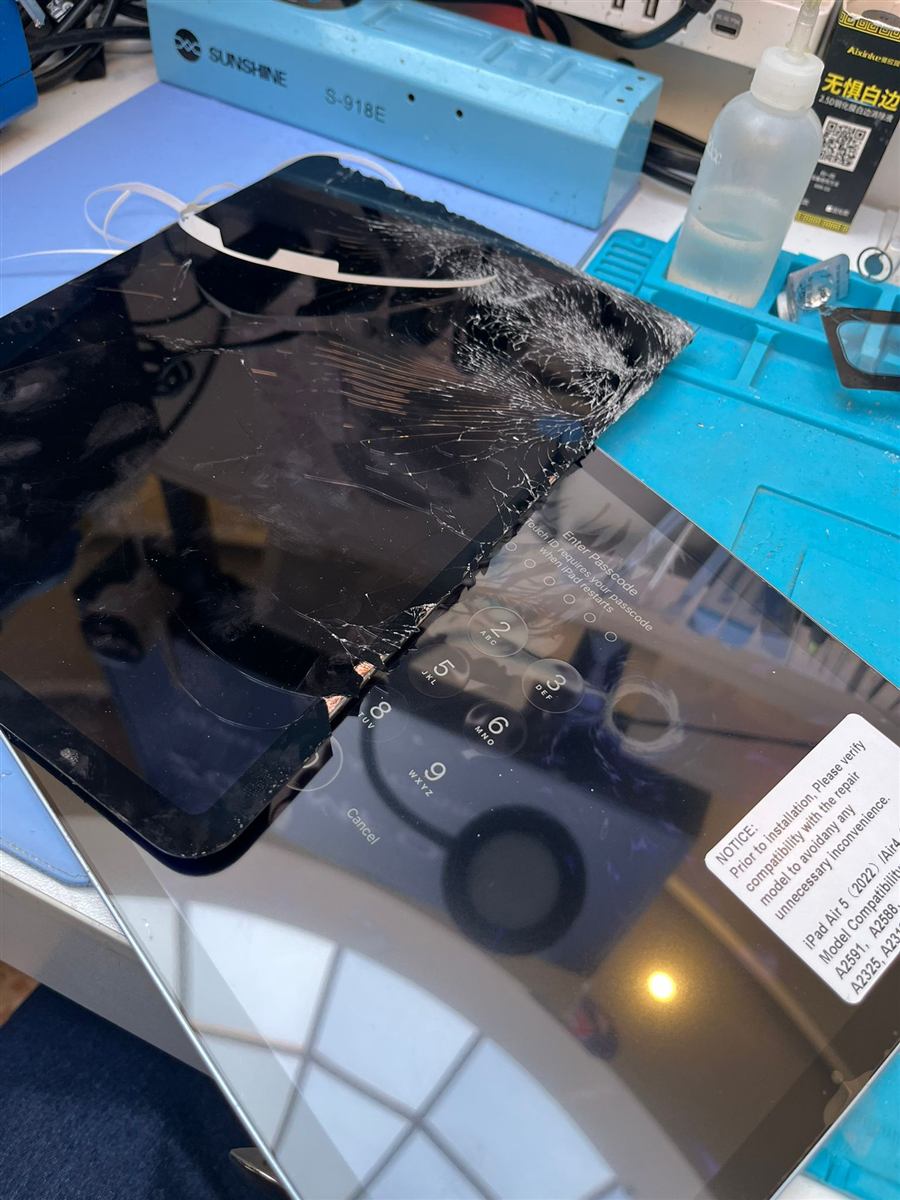 Old screen coming off, new one ready
Signs your iPad Air screen needs attention
- Cracked or shattered glass, even if the picture underneath still works
- Dead zones where touch or Apple Pencil strokes stop registering
- Lines, flickering or blotches spreading across the display
- The panel lifting from the frame at a corner after a knock
How we put it right
We start with a free diagnosis to confirm the damage stops at the panel and nothing else took the hit. iPads are held together with a serious amount of adhesive, so the broken screen comes off slowly with heat — no prying shortcuts near the antennas or display cables. On the Air, Touch ID lives in the top button rather than under the screen, so your fingerprint unlock carries straight through the repair untouched.
Once the new panel is bonded in, we test touch across the full surface, check Apple Pencil input glides without skipping, and make sure the edges sit perfectly flush before it goes back in your bag.
Which Airs we work on
We fit screens for the current-shape Airs — the iPad Air 4 and Air 5 share the same design — and we can source screens for the earlier home-button generations too. Not sure which one you've got? Read us the model number from the back cover (it starts with "A") and we'll give you a clear quote before any work begins.